
How to add a floor lamp replica to a Philips Hue bridge
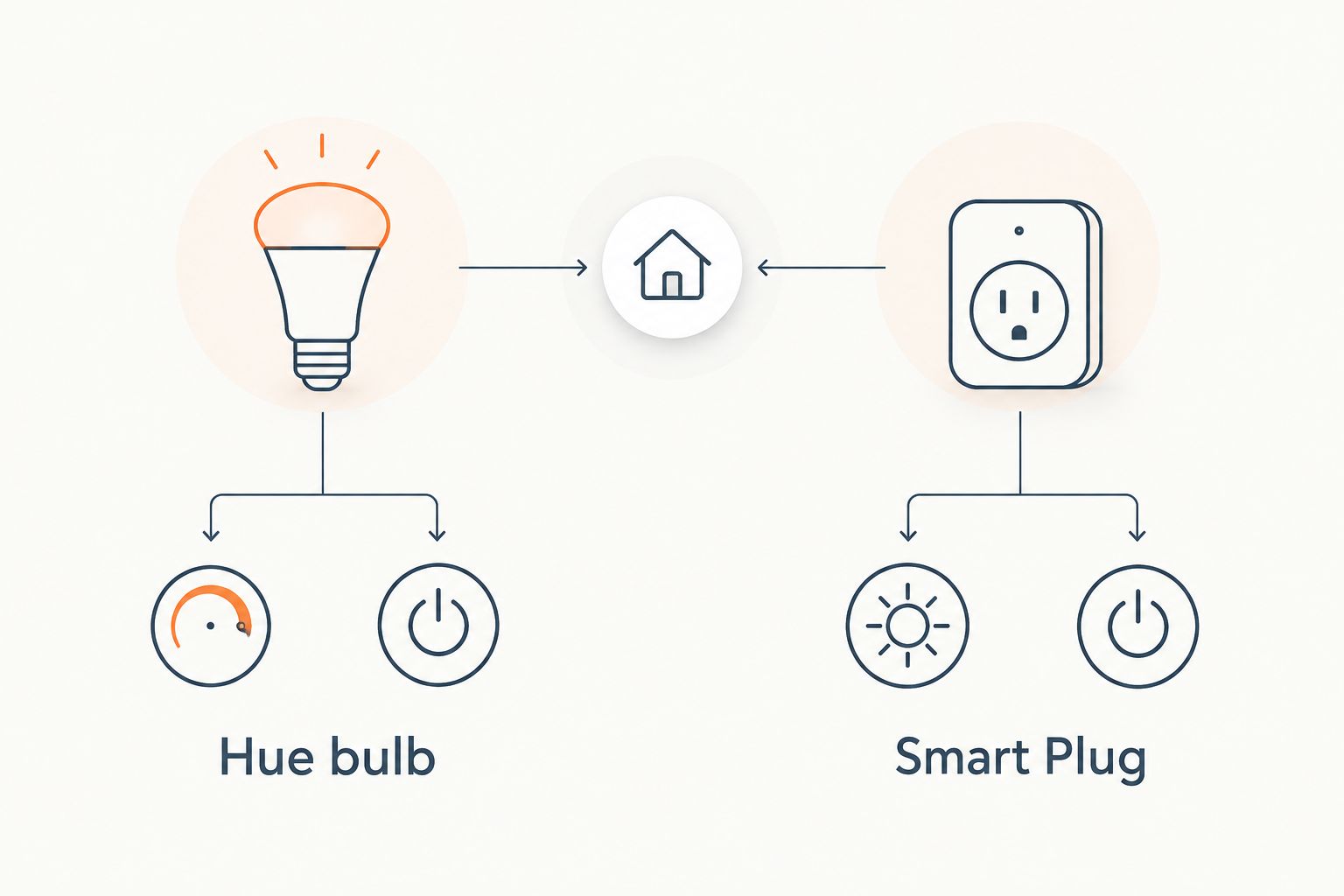
A floor lamp replica cannot join a Philips Hue bridge by itself, because the bridge only pairs with Hue bulbs and Hue accessories. Fit a compatible Hue bulb in the lamp, or run the lamp through a Hue Smart Plug, and the bridge treats it as a light you can control.
- A floor lamp replica joins a Philips Hue bridge through a Hue bulb or a Hue Smart Plug, never directly.
- Choose a Hue bulb for dimming and colour; choose a Hue Smart Plug for simple on/off control.
- Leave the lamp's own switch on, or the bridge loses contact with the bulb or plug.
- Pair the new light in the Hue app, name it by room, then add it to scenes and routines.
Why this matters
A designer-style floor lamp is usually the brightest statement in a room, and also the one you walk across the floor to switch off. Moving it onto your Hue bridge puts it in the same scenes, schedules and voice commands as the rest of your lighting.
The catch is that the lamp is a passive fitting. The smart part has to come from the bulb or the plug. Get that choice right and the setup takes minutes. Get it wrong and the lamp never appears in the app.
Mobelaris sells replica designer lighting, and the steps below apply to any floor lamp that takes a standard bulb and plugs into a wall socket. Check the product page of your lamp for its bulb fitting before you buy anything.
Verdict: for a floor lamp replica, a Hue bulb is best when you want dimming and colour, and a Hue Smart Plug is best when the lamp already holds bulbs you like and you only need on/off control.
Before you start
- A Philips Hue bridge that is plugged into your router with its network cable and shows as connected in the Hue app.
- The Philips Hue app on your phone, signed in to the same home as your bridge.
- Either a Hue bulb whose cap matches the lamp's fitting, or a Hue Smart Plug. Match the cap type to what the lamp's product page lists, and do not guess.
- The gotcha: the lamp's own switch, or any switch on its cord, must stay on from now on. Hue bulbs and plugs only respond to the bridge while they have power. Switch the lamp off at the lamp and it disappears from the app.
If your lamp has a built-in dimmer wheel, set it to full and leave it there. A bulb that is being dimmed twice, once at the lamp and once by Hue, behaves unpredictably.
Route one: fit a Hue bulb in the lamp
This route gives you the full Hue experience: dimming, scenes, and colour or white tuning if you choose a bulb that supports it.
Install the bulb
- Switch the lamp off and unplug it from the wall.
- Let the old bulb cool, then unscrew it.
- Fit the Hue bulb. Make sure the cap type matches the fitting.
- Plug the lamp back in and turn its switch on.
The bulb should light at its default white. If it stays dark, the lamp switch is off or the cap is not seated.
Pair the bulb with the bridge
- Open the Hue app and go to Settings.
- Choose Light setup, then Add light. Menu wording shifts slightly between app versions, but the path is always through the settings area for lights.
- Tap Search and wait for the bridge to scan.
- When the new bulb appears, select it and tap the option to confirm.
If the bulb does not show up, use the serial number route: the bulb carries a short serial code printed on it. Choose the Add serial number option in the same menu and type the code in.
Expected result: the bulb flashes or lights in the app, and tapping it turns the lamp on and off from your phone.
Name it and assign a room
- Tap the new light and rename it, for example Floor lamp.
- Assign it to the room where the lamp stands.
A clear name matters later. Voice assistants and routines pick lights by name, and two lights called Light 3 will cost you time.
Route two: use a Hue Smart Plug
Choose this when the lamp holds bulbs you already like, or when its fitting is awkward to match. The plug switches power to the whole lamp.
Pair the plug
- Plug the Hue Smart Plug into a wall socket within range of the bridge.
- Open the Hue app, go to Settings, then Light setup, then Add light.
- Tap Search and let the bridge find the plug.
- Select the plug and rename it, for example Floor lamp.
Connect the lamp
- Plug the lamp into the Hue Smart Plug.
- Turn the lamp's own switch on and leave it on.
- Tap the plug in the app. The lamp should switch on and off.
Expected result: the lamp responds to the app, and the plug shows in your room alongside the other lights.
One limit applies here. A smart plug is on or off only. It cannot dim the lamp, so scenes that call for a soft glow will switch it fully on or fully off. If you want dimming, use route one.
Do it automatically whenever you need it
There is a second workflow worth setting up once the lamp is paired: switching it on or off by time or by event, rather than by hand.
- In the Hue app, open the Automations tab.
- Create a new automation and choose the trigger, such as a time of day or when you arrive home.
- Select your floor lamp as the light, and set the action to on or off.
- Save it, then test it by changing the time or triggering the event.
Expected result: the lamp lights without a tap. A bulb can also fade to a set brightness, while a plug will only switch.
If you want the same idea with a plain smart plug rather than a Hue bridge, the Mobelaris guides on pairing an Arco-style floor lamp replica with a smart plug and scheduling a Grasshopper-style lamp replica with a smart plug walk through it.
Troubleshooting
- The bulb or plug never appears in the search. Move the new device closer to the bridge for the first pairing, then use the serial number option. Pairing from across the house is the most common cause.
- The lamp is listed but shows as unreachable. The lamp's own switch is off, or the plug has been unplugged. Turn the lamp switch on and confirm the plug has power.
- The lamp flickers or buzzes when dimmed. A Hue bulb in a lamp that also has its own dimmer can clash. Set the lamp's dimmer to full and let Hue handle brightness.
- The bridge shows offline. Check the bridge's network cable and that the router is working, then restart the bridge by unplugging and replugging its power.
- The plug turns the lamp on but the lamp stays dark. The lamp's own switch is off. A smart plug controls power only, so the lamp must be switched on at the lamp.
Customise your setup
Once the lamp is on the bridge, extend it:
- Put it in a room group so one tap controls every light in the space.
- Add it to a reading or evening scene, so the floor lamp comes on at a low level when the overhead lights go off.
- Link it to a voice assistant using the lamp's name from the app.
If you are choosing a lamp for a reading spot, Mobelaris covers replica floor lamps for reading corners, and the guide to dimming an Artichoke-style lamp replica with a smart switch covers the dimming side from a different angle.
FAQ
Can a floor lamp replica connect to a Philips Hue bridge directly?
No. The bridge pairs with Hue bulbs and Hue accessories only. Fit a Hue bulb in the lamp or plug the lamp into a Hue Smart Plug to bring it onto the bridge.
Should I use a Hue bulb or a Hue Smart Plug for a floor lamp?
Use a Hue bulb if you want dimming and colour control. Use a Hue Smart Plug if you want on/off control and prefer to keep the bulbs already in the lamp.
Can I dim a floor lamp with a Hue Smart Plug?
No. A smart plug switches power on or off and cannot dim. For dimming, fit a dimmable Hue bulb in the lamp.
Do I need to keep the lamp switched on at the lamp itself?
Yes. A Hue bulb or plug only responds to the bridge while it has power, so leave the lamp's own switch on and control it from the app.
Why can't the Hue app find my new bulb?
The bulb is probably out of range of the bridge or the lamp switch is off. Move the bulb closer, confirm power, then add it with its serial number.
Which bulb fitting does my replica floor lamp take?
Check the lamp's product page or the markings on the existing bulb. Choose a Hue bulb with the same cap type rather than assuming a common fitting.
One last thing
Set up the lamp's name and room before you build any scenes or routines. Renaming a light later leaves old automations pointing at the wrong label, and it is the one tidy-up most people end up redoing.