
Flowerpot Pendant Lamp Smart Dimmer: Smart Bulb Wins (2026)
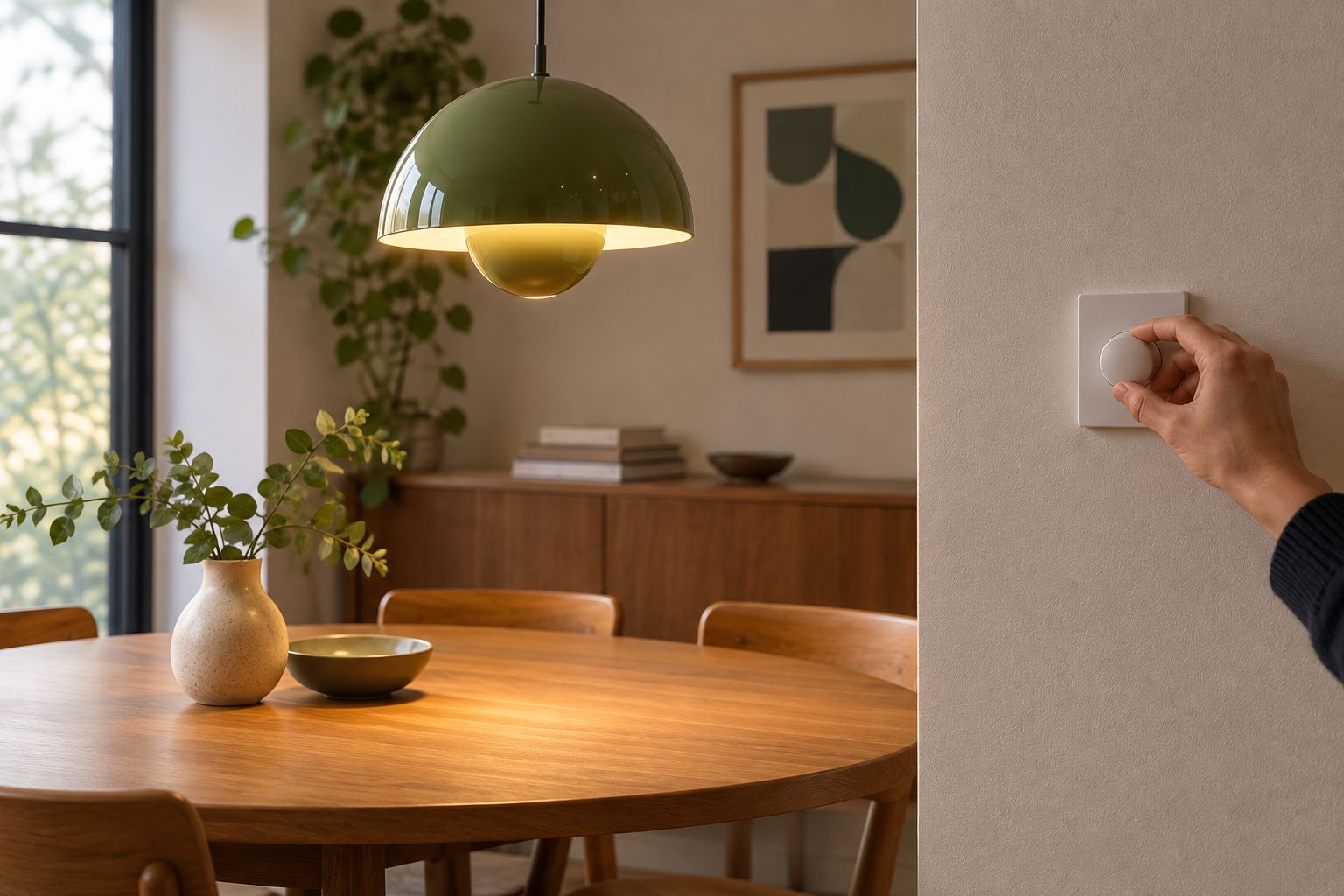
Manually flicking a wall switch on and off is the only brightness control most flowerpot pendant lamp replicas ship with. Add a dimmable smart bulb and a smart dimmer or hub, and you get stepless brightness, scenes, and a schedule that runs itself, without touching a single wire.
- A dimmable-rated smart bulb paired with a hub app is the simplest flowerpot pendant lamp smart dimmer setup for 2026 — no rewiring needed.
- Match the socket first: most flowerpot pendant lamp replicas take E27, some smaller shades take E14.
- Leave any old wall dimmer at full power once a smart bulb is fitted, or the two will fight and flicker.
- A smart plug or in-line dimmer module suits plug-in pendants better than a screw-in smart bulb.
- Sunset and sunrise automations remove the need to trigger scenes by hand every evening.
Why this matters
Screwing in a smart bulb turns a static flowerpot pendant lamp replica into a fixture you control from a phone, a voice assistant, or a schedule — without touching the wiring. That matters most over a dining table or a reading corner, where a fixed-brightness bulb is either too harsh for dinner or too dim for a book. The steps below work the same way whichever finish or size of Mobelaris flowerpot pendant lamp replica you're running in 2026, and they apply just as well to other pieces from the Mobelaris mid-century lighting collection.
Before you start
- A smart home app already set up on your phone — Google Home, Amazon Alexa, or a Zigbee/Wi-Fi hub app such as SmartThings.
- A dimmable-rated smart bulb sized to the pendant's socket — check whether the fitting takes a standard screw base (E27) or the smaller Edison screw (E14); a plain, non-dimmable bulb will flicker or buzz once you try to lower it.
- The gotcha that trips people up: if the pendant currently runs through an old-style wall dimmer switch, leave that switch at full power once the smart bulb is fitted. A smart bulb dims itself electronically, and a wall dimmer fighting it at the same time causes flicker, buzzing, or a bulb that won't turn on at all.
Most Wi-Fi smart bulbs also only connect to 2.4GHz networks, not 5GHz — if your router broadcasts a single combined network name, split it into separate 2.4GHz and 5GHz names in the router settings before you try to pair anything.
Set up your flowerpot pendant lamp smart dimmer
Choose a dimmable smart bulb for the fitting
Match the bulb to the socket before you buy anything else. Most flowerpot pendant lamp replicas, including the pieces covered in the Verner Panton flowerpot pendant lamp replica buying guide, use a standard E27 screw fitting, though smaller shades sometimes take E14. Pick a bulb explicitly marked "dimmable" — a plain LED bulb run through a smart dimmer will step, flicker, or cut off early instead of fading smoothly. Warm white (2700K) reads closest to the lamp's original mid-century tone; a tunable bulb lets you shift color temperature from the same app later.
Expected result: the box or listing states a dimmable range and the bulb's base matches your socket.
Wi-Fi bulb or Zigbee bulb — does it matter for one pendant
For a single flowerpot pendant lamp, either radio works, but the setup differs slightly. Wi-Fi smart bulbs connect straight to your router — no separate hub required — which is the simpler pairing path if you only have one or two smart lights in the room. Zigbee bulbs need a hub or bridge, but they run on a separate mesh network instead of your home Wi-Fi, so they respond faster and don't compete with streaming devices for bandwidth.
If you're only adding one pendant and no other smart lighting, a Wi-Fi bulb is the less fussy choice. If you already run other Zigbee devices in the house, pairing the pendant to the same hub keeps everything under one app.
Pair the bulb with your hub or dimmer switch
- Open your smart home app and tap Add device (Google Home) or Discover devices (Alexa, SmartThings).
- Screw in the smart bulb and switch on power at the wall or ceiling rose so the bulb is receiving current.
- Select the matching device type from the list — usually Light bulb or Smart bulb — and follow the on-screen pairing prompt.
- Rename the device something specific, like "Flowerpot Pendant," under Device name, so it's easy to find later in a voice command.
- If you're using a smart dimmer switch rather than a smart bulb, pair the switch itself under Add device > Switches & dimmers and confirm it controls the correct circuit.
Expected result: the device appears in your app's device list with a toggle and a brightness slider, and moving the slider changes the light in real time.
Create your first dimming scene
- In the app, tap Scenes or Routines and select Create new.
- Add the flowerpot pendant as a device inside the scene.
- Set a brightness level — around 30% for ambient evening light, 80% for reading.
- Name the scene something you'll actually say out loud, like "Dinner Light," under Scene name.
- Save, then test it by triggering the scene manually from the app or with a voice command.
Expected result: saying the scene name or tapping it in the app moves the pendant straight to the brightness you set, without touching a physical switch.
Dim automatically at sunset instead of on command
Manual scenes work until you forget to run them. Set the flowerpot pendant lamp smart dimmer setup to trigger on sunset or sunrise instead, and the light adjusts itself every evening without a tap.
- In your app's Automations or Routines tab, tap Create automation.
- Set the trigger to Sunset (or a fixed time, if your app doesn't support solar triggers).
- Set the action to your flowerpot pendant scene — for example, "Dinner Light" at 30%.
- Add a second automation with Sunrise as the trigger and the action set to turn the bulb off or down to 5%.
- Save both automations and leave the app running in the background; no further input is needed.
Expected result: the pendant dims itself at dusk and steps down again at dawn, with no manual scene-triggering required.
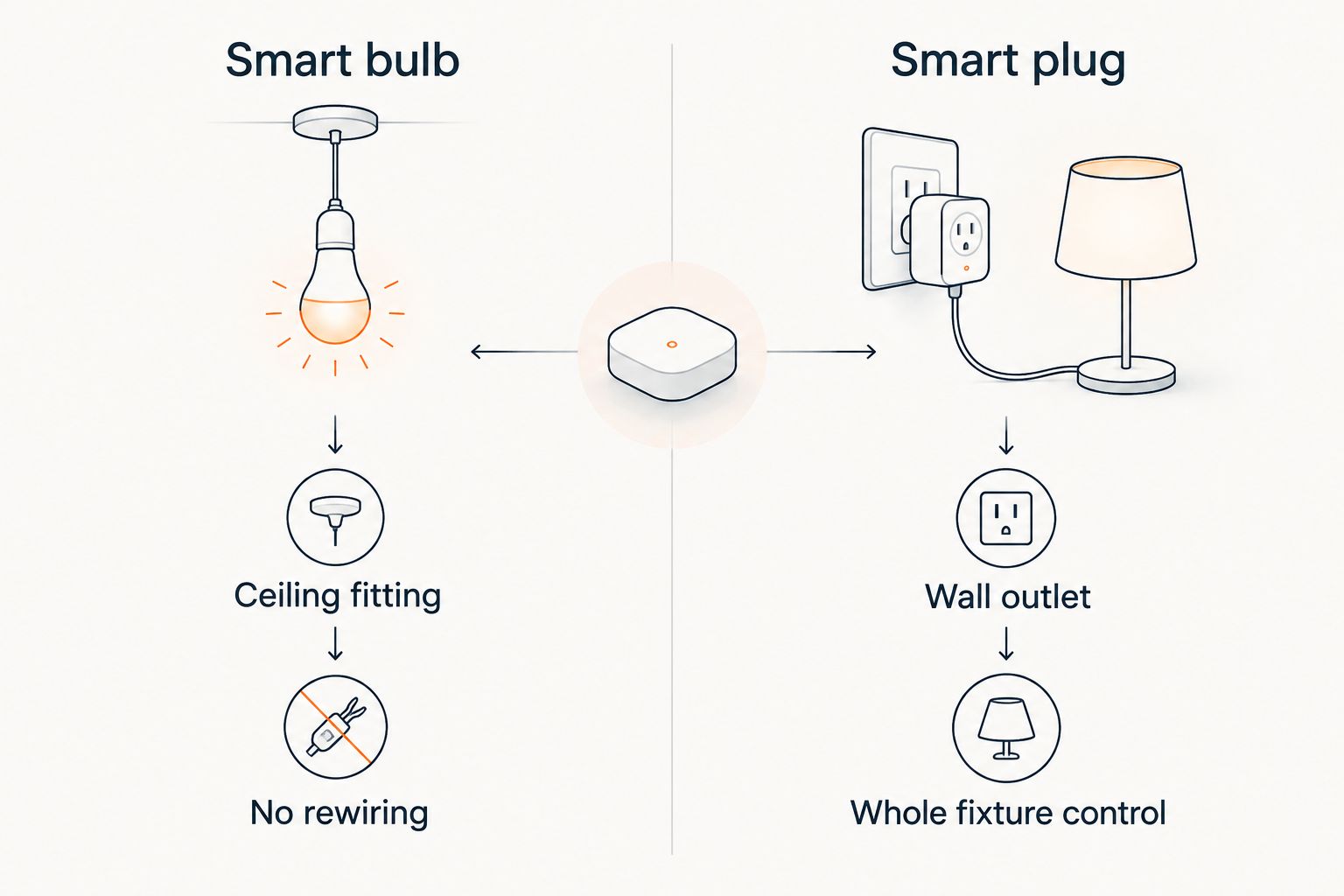
Smart bulb or smart plug — which fits your pendant
Two setups get you from a static flowerpot pendant lamp replica to app-controlled dimming, and which one fits depends on how your pendant is wired.
| Option | Best for | Pros | Cons |
|---|---|---|---|
| Dimmable smart bulb (screw-in) | Pendants on a fixed ceiling connection | No rewiring, keeps the existing wall switch as an on/off backup, works with any hub | Limited to bulbs rated dimmable in your socket size |
| Smart plug or in-line dimmer module | Pendants that plug into a wall outlet | Controls the whole fixture, works with any bulb inside it | Fewer dimmable smart plugs on the market than smart bulbs; most plugs are on/off only |
Verdict: a dimmable smart bulb is the simpler path for most flowerpot pendant lamp replicas in 2026 and is the setup this guide walks through above — best for anyone who wants dimming without swapping hardware. A smart plug or in-line dimmer module is worth it only if the pendant plugs into a standard outlet and you'd rather control the whole fixture from one point — best for pendants where the bulb itself is hard to reach for swapping.
Customize your flowerpot pendant lamp smart dimmer setup
Once the basic scene and sunset automation are running, expand from there:
- Add a second scene for movie nights or gatherings at around 10% brightness.
- Group the flowerpot pendant with other fixtures in the same room so one voice command dims everything at once.
- Layer in a motion trigger for hallway or entryway pendants so the light comes up only when someone's actually there.
The setup carries over to other pendant shapes too — if you're mixing the flowerpot silhouette with a different fixture over the same table, the pairing steps above work the same way regardless of shade shape.
Browse flowerpot pendant lamp replicas
See finishes and sizes before you pick a bulb.
Troubleshooting
Most pairing problems trace back to the network, not the bulb itself.
“If the app can't find the bulb after three power cycles, the issue is the network, not the bulb.”
- The bulb won't show up during pairing. Turn the bulb off and on three times at the wall to force it into pairing mode, then restart the search in the app.
- The light flickers or buzzes below about 20% brightness. The bulb isn't dimmable-rated, or the app's minimum brightness floor is set too low — raise the floor under Device settings > Brightness range.
- Voice commands control the wrong light. Two devices share a similar name; rename the pendant under Device name to something unique, like "Flowerpot Pendant."
- The scene runs but the pendant doesn't change. The device dropped off Wi-Fi or Zigbee — check its status in the app and re-add it to the room if it shows offline.
- The automation didn't trigger at sunset. Location services need to be enabled for the app to calculate sunset locally; check this under the app's location permissions.
FAQ
What's the best way to set up a flowerpot pendant lamp smart dimmer?
Fit a dimmable-rated smart bulb matched to the socket size, pair it with a hub app like Google Home or SmartThings, then build a scene for the brightness level you want. This avoids any rewiring in 2026 and works with most flowerpot pendant lamp replicas.
Do I need to rewire the pendant to add a smart dimmer?
No. A screw-in dimmable smart bulb replaces the existing bulb and is controlled entirely through an app, with no wiring changes required.
Is a smart bulb better than a smart plug for a flowerpot pendant?
A smart bulb suits pendants on a fixed ceiling connection, while a smart plug or in-line dimmer module suits pendants that plug into a wall outlet. Neither is universally better; the fixture's wiring decides which one fits.
Why does my dimmable smart bulb flicker at low brightness?
The app's minimum brightness setting is usually set lower than the bulb can actually handle. Raise the brightness floor in the device settings to stop the flicker.
Can I control a flowerpot pendant lamp with voice commands?
Yes, once the bulb is paired and named in the app, a voice assistant like Google Assistant or Alexa can turn it on, off, or to a set brightness by name.
Does a smart bulb still work with the existing wall switch?
Yes, as long as the wall switch is left at full power. Turning that switch off cuts power to the bulb entirely and disconnects it from the app until it's switched back on.
One last thing
The detail that catches people out isn't the app — it's the socket size. E14 dimmable smart bulbs cost more and come in fewer finish options than E27, so if your flowerpot pendant lamp replica uses the smaller fitting, check bulb availability before you commit to a specific smart ecosystem in 2026. Buy the bulb first, pick the app second.